It has been two weeks since I started using MarginNote3 to work on my dissertation prospectus and one of my chapters. So let’s see how it went.
Overall I am very happy with it. I love being able to see notes from multiple documents in the same place.
Here are some notes that I made:
MarginNote only supports PDFs and EPUBS, so things like maps and document photos from archives that I have as .jpgs or .pngs had to be reformatted to add them to the app. I just used a quick PNG to PDF tool on the web, made a file for import, and then deleted it once it was in MarginNote, so I still had the labeled individual images, but the merged PDF file gets them into MN faster.
The process to import is easy, both from the app and the computer, but I like doing it from the computer because I can CTRL+A a whole folder faster.
The process of adding and removing pages is so easy. This is great because I can remove extraneous pages that I don’t have notes on easily without impacting the full copy that I have in a folder on my computer, but it makes my notebook easier to navigate. As far as I can tell, you must remove and add pages individually, but it is easy. Just click add and remove on the page, and it happens quickly.
I wish I could tag documents as a whole and add them to folders. I also wish moving docs between folders was easier.
The highlight tool was pretty good, but the real trick is changing the capture from word to character, making it much more precise. But even so, the Mac App seems less precise than the iOS app.
I wish I could draw in the notebook like I would on a page in GoodNotes. The alternative now is to insert a blank page, annotate it, and then excerpt that to get it into the notebook. I know it is not for that type of note-taking, but it would be nice to add those notes to my notebooks to keep as much as possible in MarginNote. For example, I went to a conference this past weekend, and it would have been nice to add my notes into MarginNote for the panels that pertained to my work rather than have to add them in GoodNotes. I think adding a blank page works fine since it’s so easy to add a page, but it will likely be attached to that document rather than a standalone one.
Here are a few images I have of use:
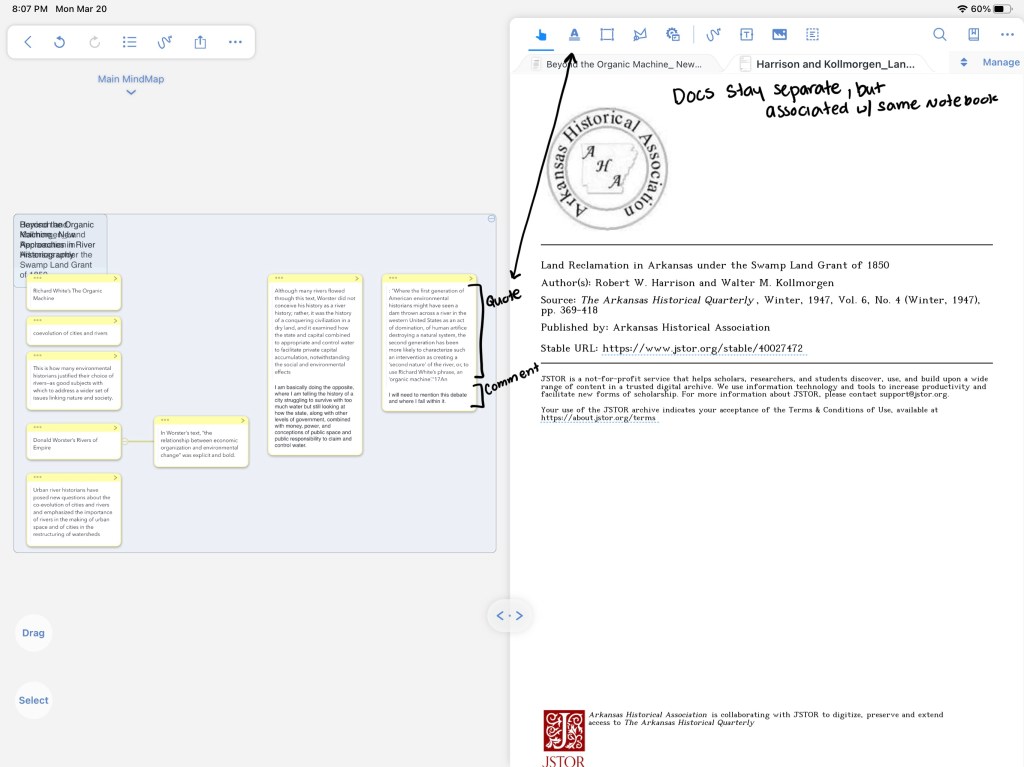

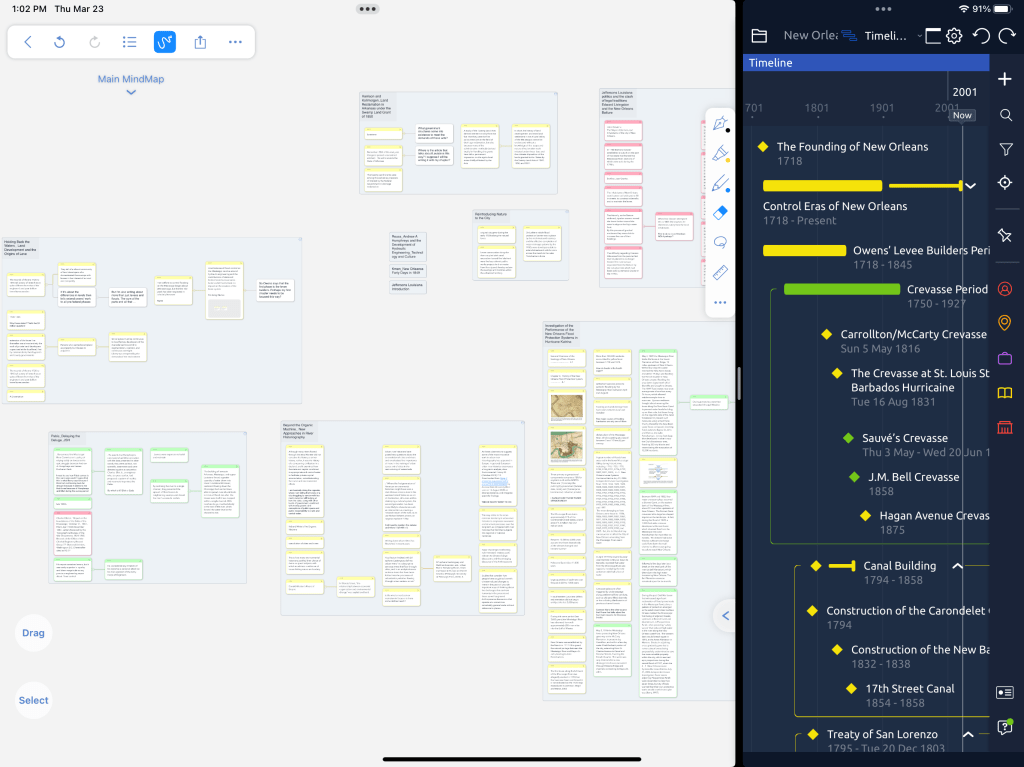
Verdict: I think this tool might be what I have been looking for to see all of my important notes from various documents in one place without copious switching back and forth. But I can also click on an excerpt, and it will take me right back to the spot in the document I took it from so I can see it in context again or get precise citation info.
Well worth the $13 IAP to keep using, especially as a one-time purchase rather than a subscription!
BUT: here is a big drawback – MarginNote3 isn’t a cross-platform buy – it is a separate $40 to have access on the Mac. So, for now, I upgraded my iOS devices for $13, which is where my reading and notetaking will mostly happen. If I decide to splurge on being able to work on the Mac, I will upgrade.
 Erica Anne Price